Revenue looks great, profit doesn't
Shopify reports gross revenue. It never subtracts your ad spend, product costs, shipping, or payment fees. You think you're profitable until you check your bank account.
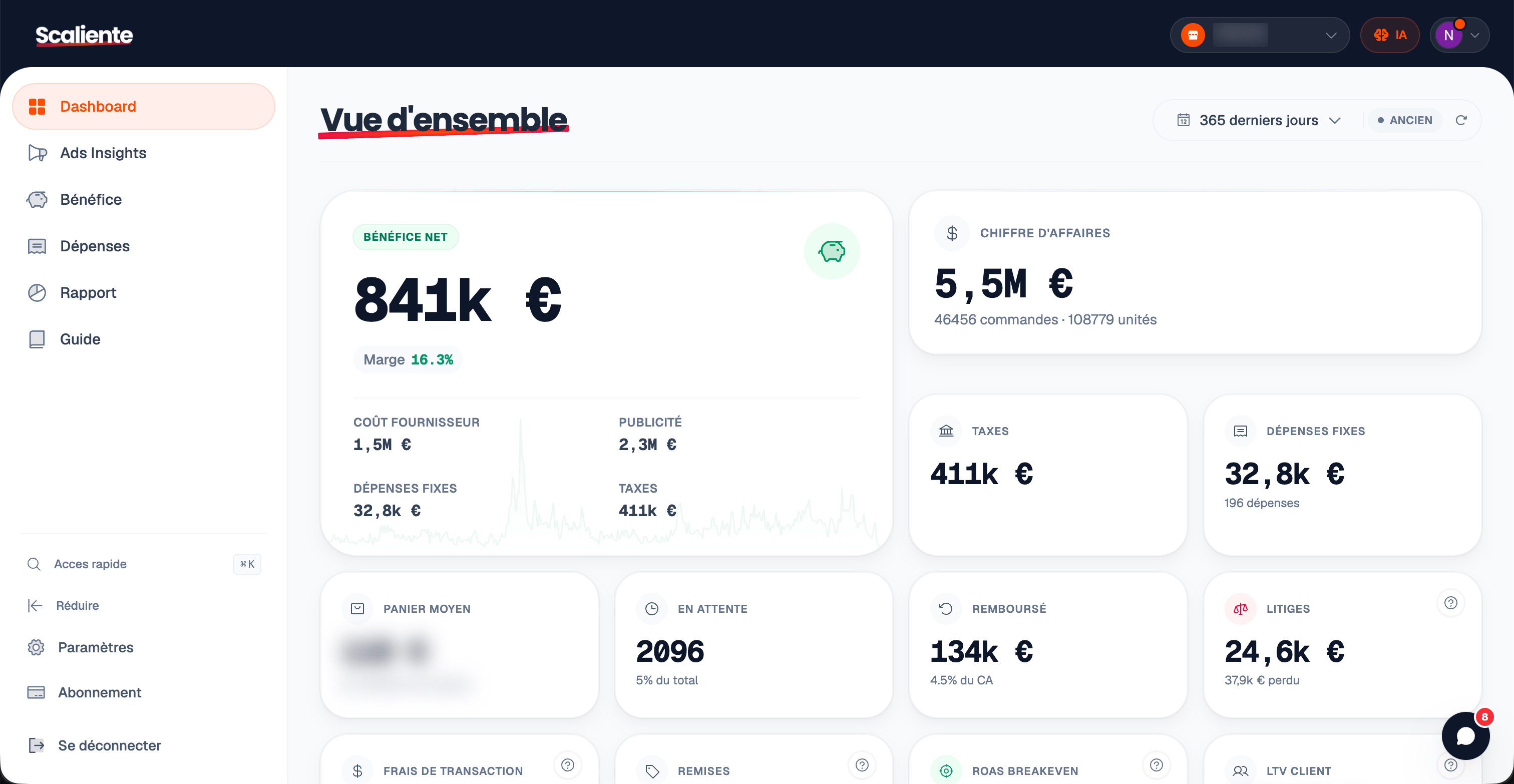
See exactly what you keep after every cost. Orders in real time, ad spend refreshed daily.
The Problem
Shopify shows what comes in. Not what stays.
Shopify reports gross revenue. It never subtracts your ad spend, product costs, shipping, or payment fees. You think you're profitable until you check your bank account.
Payment fees vary by gateway and transaction. Without order-level reconciliation, they erode margin without appearing in Shopify revenue.
Manual tracking works for 10 orders a week. At 100+ orders per month across multiple ad platforms, one missed row means wrong decisions for the entire month.
The Solution
Scaliente connects to Shopify and your ad accounts, then automatically deducts every cost: product costs, shipping, payment gateway fees, ad spend, and taxes. Your net profit is recalculated on every order; ad spend is refreshed daily.
Calculated for every order as it comes in. Daily, weekly, monthly views with automatic cost deduction.
Your margin after ALL costs, not just COGS. See exactly what percentage of revenue you keep.
Compare any date range against another. Spot trends, measure growth, and catch margin drops before they hurt.
Running multiple Shopify stores? See aggregated profit across all of them in a single dashboard.
Orders arrive through Shopify webhooks. Advertising spend synchronizes once or twice daily and can also be refreshed manually.
See exactly where your money goes: COGS, shipping, ad spend, gateway fees, and taxes in one visual breakdown.
Authorize the connection to your store. Scaliente then starts the initial sync of orders, products and revenue.
Add product costs and shipping rates. Scaliente detects your payment gateways automatically.
Your dashboard fills up from the first sync. Net profit, margins, and trends are recalculated on every new order.
Stop guessing your profit
Connect Shopify and bring revenue, costs and advertising spend into one view.
No credit card required